

The prompt · word for word
Copy, paste, attach your photos
This is exactly what I typed. I pasted it into Claude Code (the Code tab of the Claude desktop app) and attached 7 photos in the same message.
create a claude artifact, its for a surprised Happy 1st Anniversary

* frontend application & mobile first responsive
* cute motion graphics
* color theme : red, pink, burgundy, gold
* beautiful flowers , petals
* it moves when i move/tilt my phone
* slide show or show reel for the photos attached
* should look amazing, beautiful cute and awesome
* add 3-5s loading screen before the surprise
* add appropriate audio for motions etc.

lastly, create a qr code themed burgundy color and gold - add cursive text above "Just For You" -  so that when people scanned this the artifact links loads.
Make it yours
Pwede siya sa kahit anong okasyon. Just change the words in the prompt:
Photos: attach them in the same message as the prompt. Use photos you're okay with the other person (and anyone they show it to) seeing.
What I did · 3 steps
From prompt to shareable link
-
01
Paste the prompt in Claude Code
Open the Claude desktop app, go to the Code tab, paste the prompt and attach your photos. Then send.
-
02
Let Claude build it
Claude made the page, checked it in a preview, then published it as an artifact (a page with its own claude.ai link). It also made the "Just For You" QR code that opens that link.
-
03
Turn on sharing
A new artifact is private: only you can open it. To send it, open the artifact, tap Share, and under General access pick Anyone with the link. After that, the link and the QR code work for the person you send it to.
Heads-up: anyone who gets the link (or scans the QR) can see the page and your photos. Send it only to the people it's for.
Sample result · from our run
What Claude made
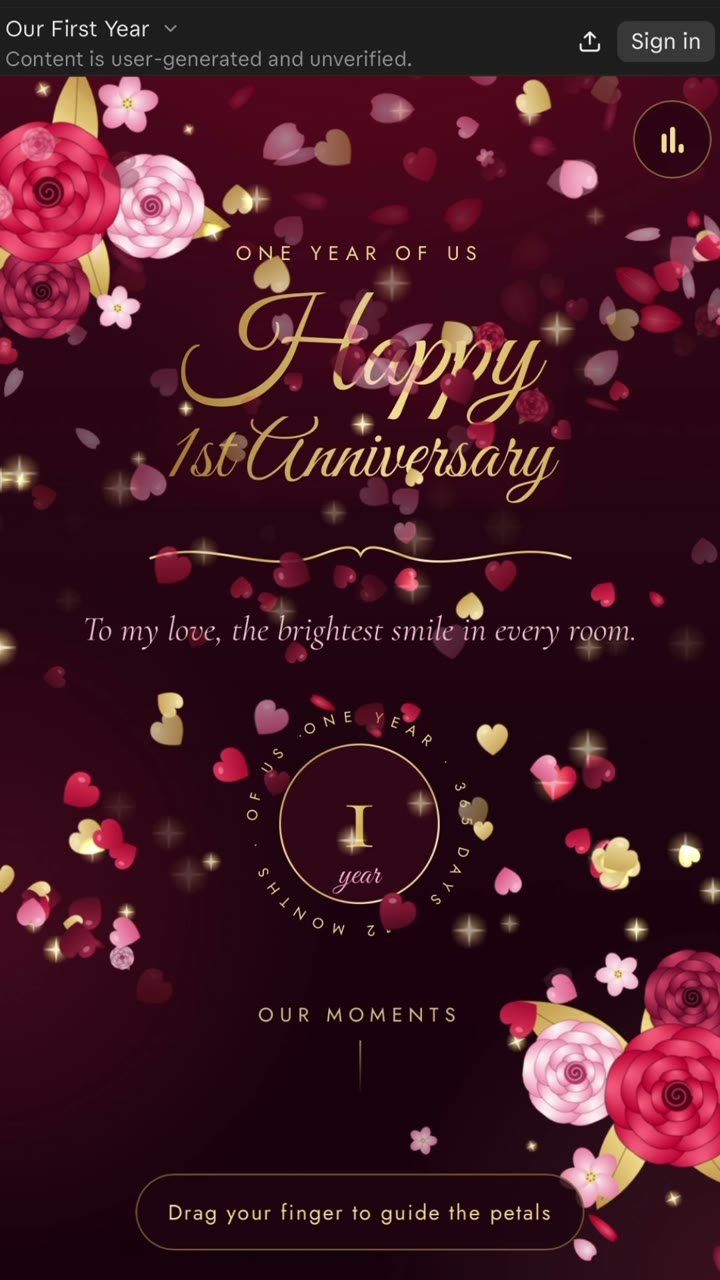
These are real screenshots from my phone, from the page Claude made with the prompt above. The photo show reel isn't shown here for privacy, but you can see it in the video.
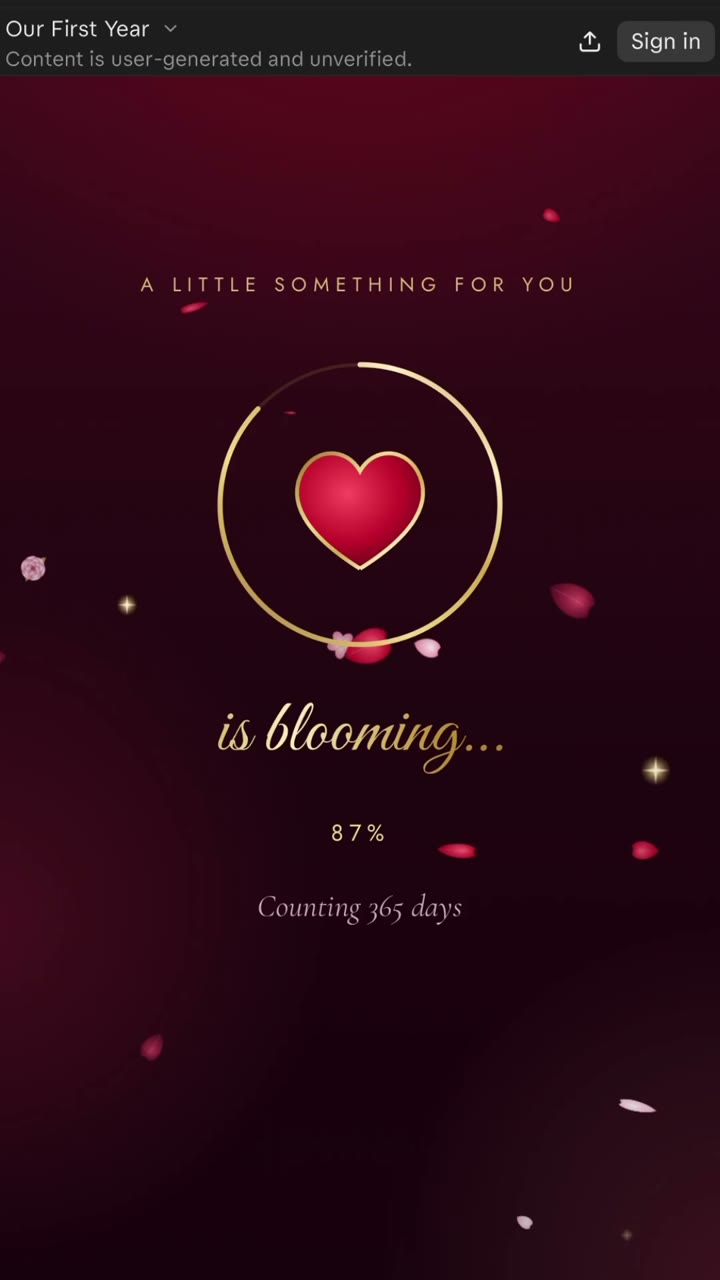
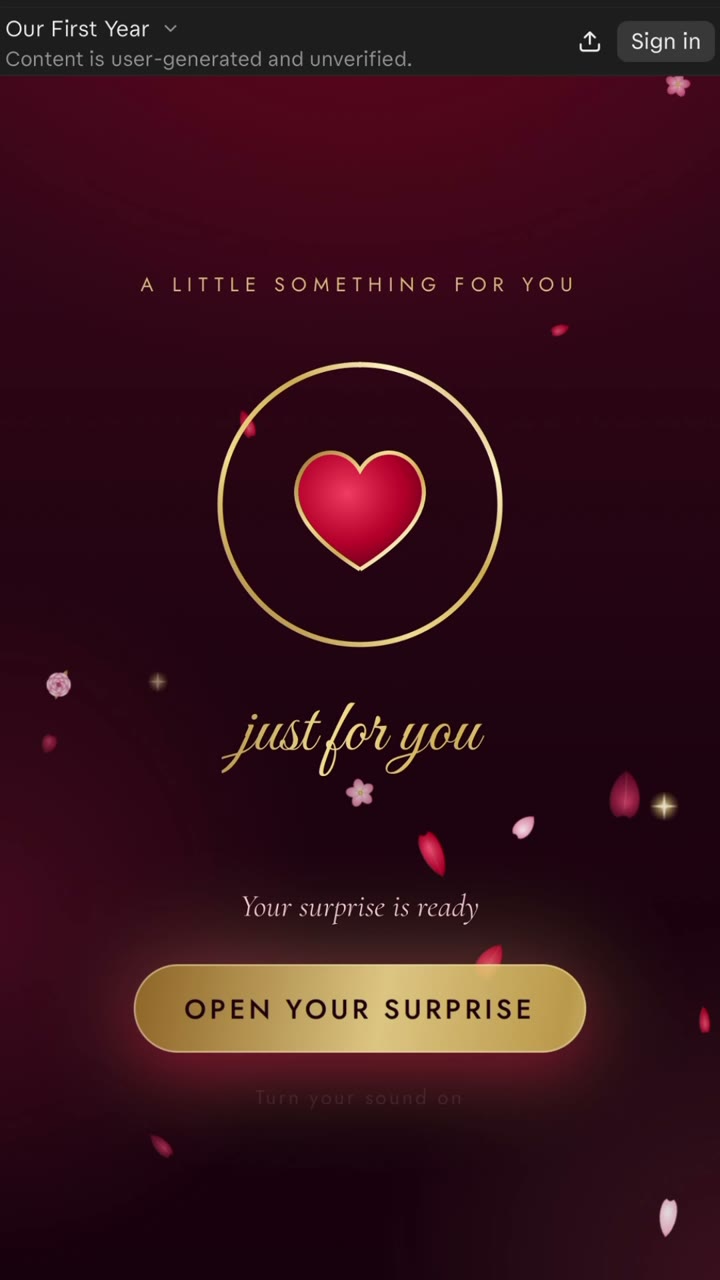
| Loading | A heart in a gold ring counts up to 100 %, then shows "Open your surprise". |
|---|---|
| Opening | Petal burst, then "Happy 1st Anniversary" with paper roses and falling petals and hearts. |
| Photos | A show reel of the 7 photos in gold frames, each with a short caption. Swipe or use the buttons. |
| More | A "first year, counted" section (365 days, 8,760 hours…), a love letter, and an ending with "Shower more petals". |
| Sound | Soft background music and little sound effects. Claude made the sounds in code; no music files. |
| QR code | A burgundy and gold card with "Just For You" in script above the code. Not shown here, because it opens our private page. |
About the tilt: I asked for it to move when I tilt my phone. When we opened it on a phone inside claude.ai, it showed "Drag your finger to guide the petals" instead, so you move the petals with your finger. Your result can be different: Claude doesn't make the same page twice.
Honest notes
- Every run is different. Yours won't look exactly like ours, and that's okay: ask Claude to change anything in plain words.
- The page lives on claude.ai, and it shows a small "Content is user-generated" label at the top.
- Your photos are part of the page. Anyone with the link can see them.
- We made this on a paid Claude plan. We haven't tried it on the free plan.

Libre 'to
Nakatulong ba?
If this helped, you can buy me a coffee through GCash. Any amount, walang pressure.